
How to File Colorado Sales Tax Online
Learn how to file sales tax online in Colorado with step-by-step instructions including screenshots.



Step-by-step process for filing sales tax returns in Colorado
To file Colorado sales tax for a physical market, you first need a special event sales tax license from the state. You cannot apply for this license online. Instead, print and mail the special event sales tax application or call the Colorado Department of Revenue at 303-238-7378 to set up your license over the phone. Calling is recommended so you can ask any other questions you may have.
In addition to the state license, you also need a special event sales tax license from the city where the market is located. Like the state license, there is no online application. You must either mail in a paper application or call the city's sales tax department to set up your license over the phone.
If you have markets in multiple cities, such as Denver and Arvada, you need separate sales tax licenses for each city. Let’s now get right into the steps for filing.
Step 1: Create a SUTS account
The first step to filing your online sales tax is creating an account on the SUTS website. Go to https://colorado.munirevs.com/ and click the "New Users Register" button.
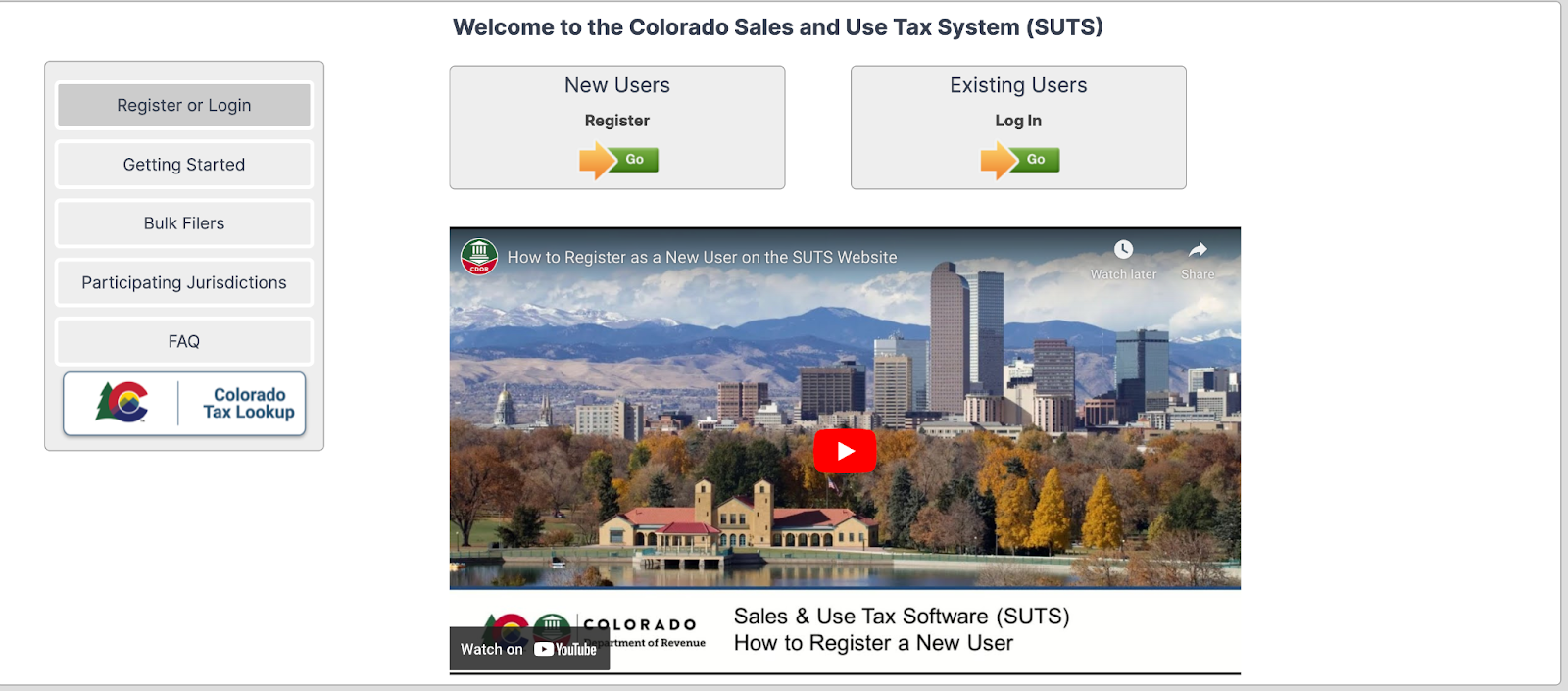
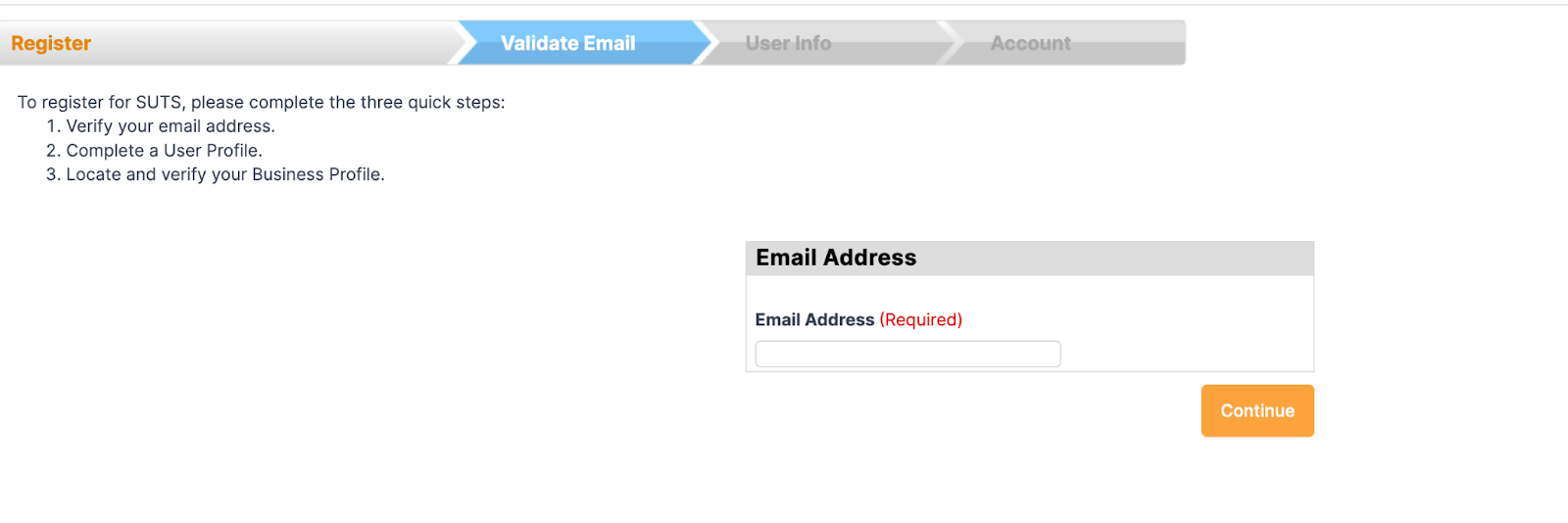
You'll need to provide your business information, including your Colorado Account Number, business name, and contact details. Follow the prompts to complete the account setup process.
Before diving into filing your return, it's helpful to familiarize yourself with the SUTS system.
The Colorado Department of Revenue has created a series of video tutorials that walk you through the various features and processes. Take some time to watch these videos, particularly the "Filing Using Excel" tutorial which shows you how to format and upload your sales data.
Step 2: Log into SUTS
With your account created, log into SUTS using the username and password you set up.
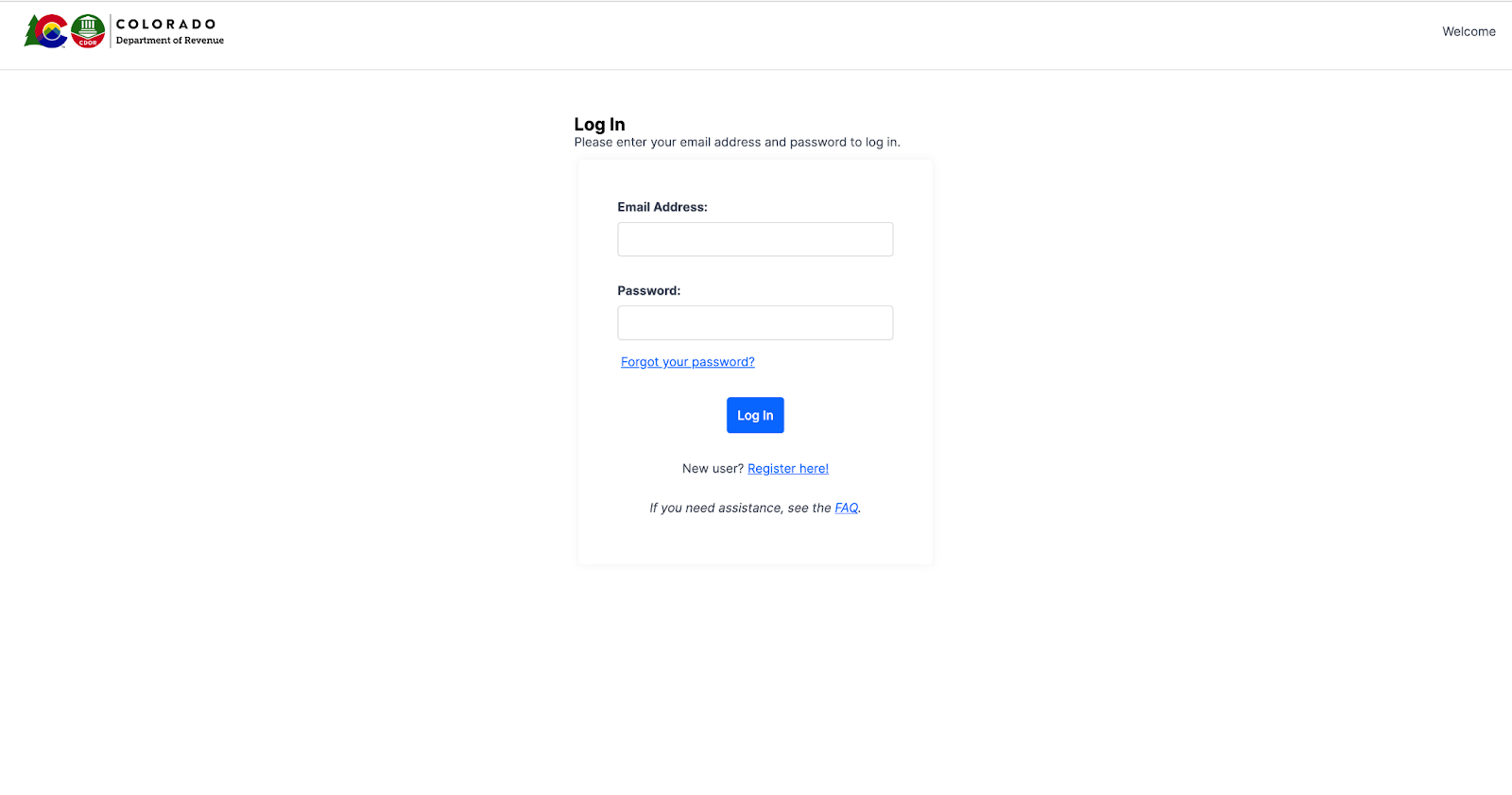
If you already have an account and forget your login details, use the "Forgot Password" or "Forgot Username" links on the login page to recover them. Make sure you have your sales data ready before proceeding.
Step 3: Start a new sales tax return
Once logged in, click the "File Return" button to start the filing process.
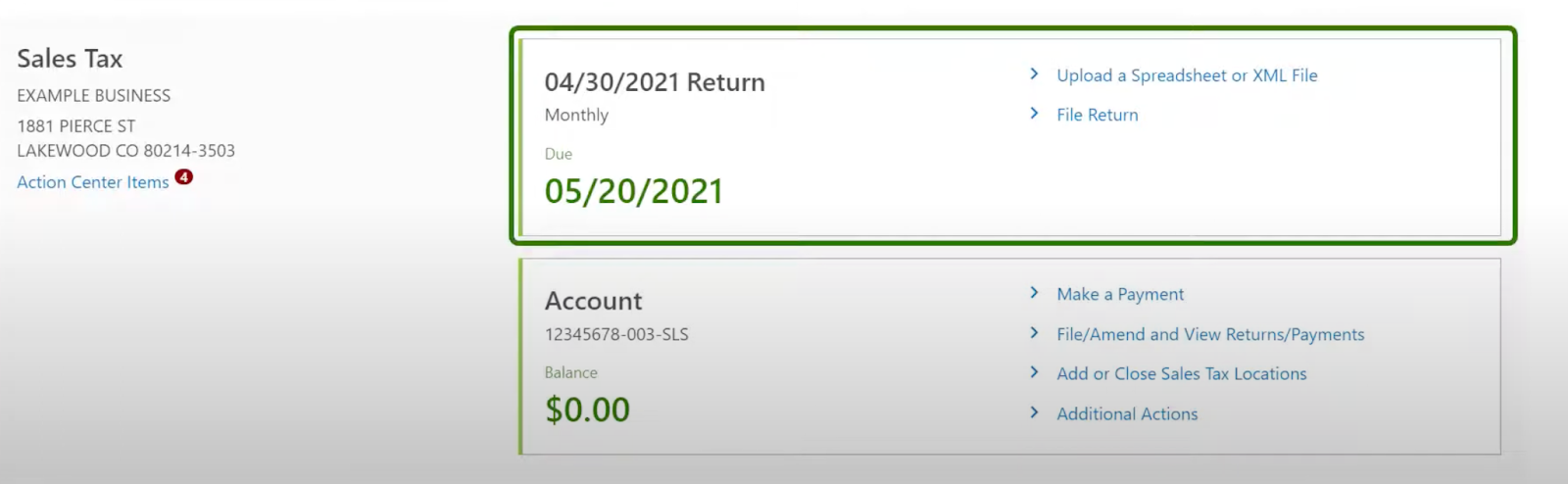
Select the filing period for your return (e.g., Q1 2026 for the first quarter of 2026) and the type of return you need to file. Click “File Now” beside the return period.
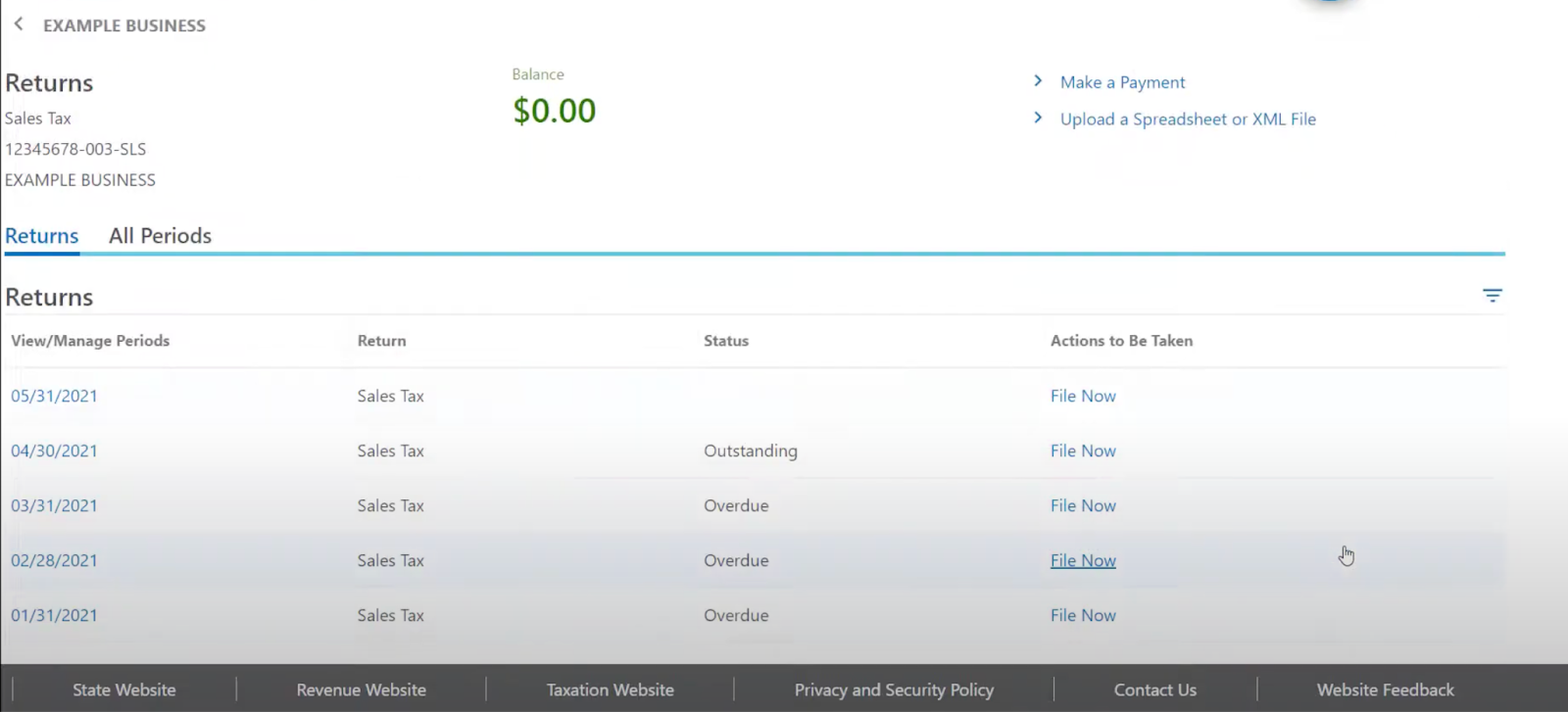
For most online sellers, this will be the "Retail Sales Tax Return". Click "Continue" to proceed.
Step 4: Enter your sales data
On the next screen, you'll enter your sales data for the filing period. If you have a small number of transactions, you can enter them manually. However, most online sellers will need to upload a spreadsheet.
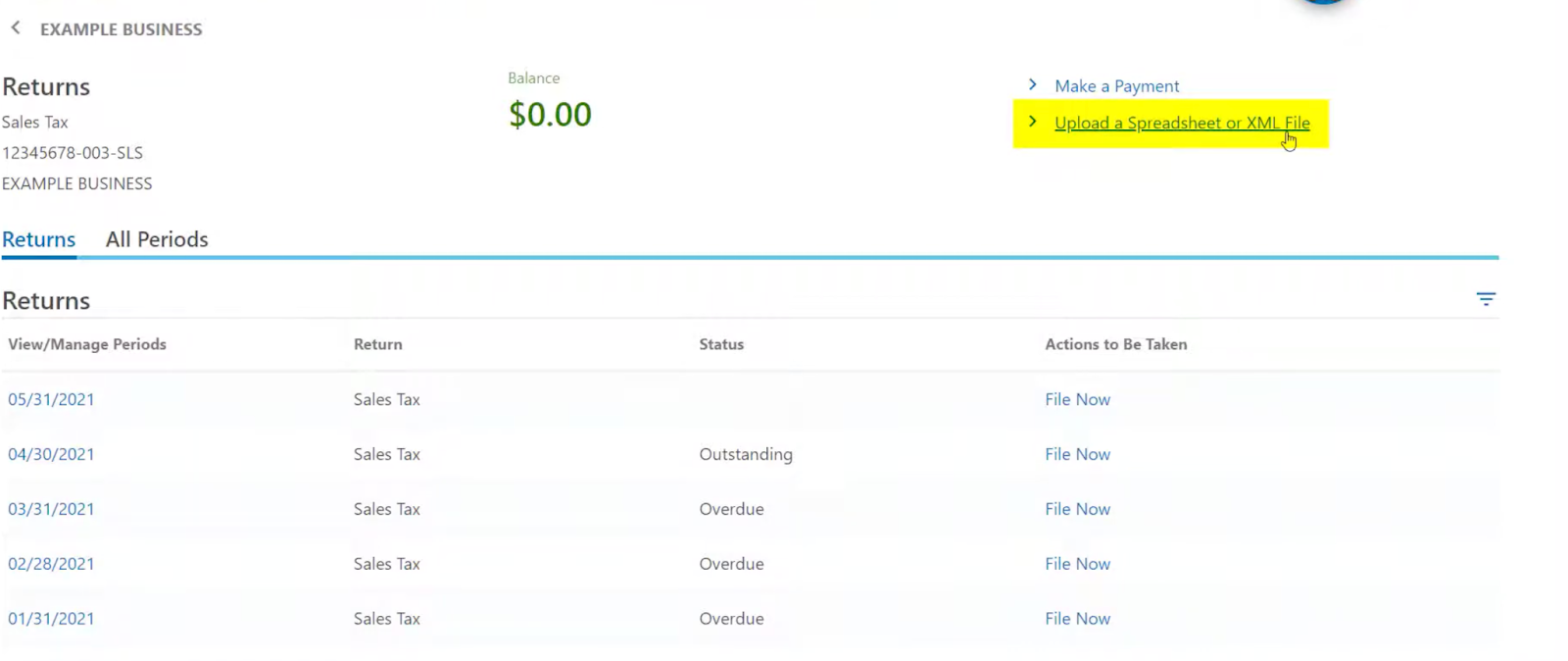
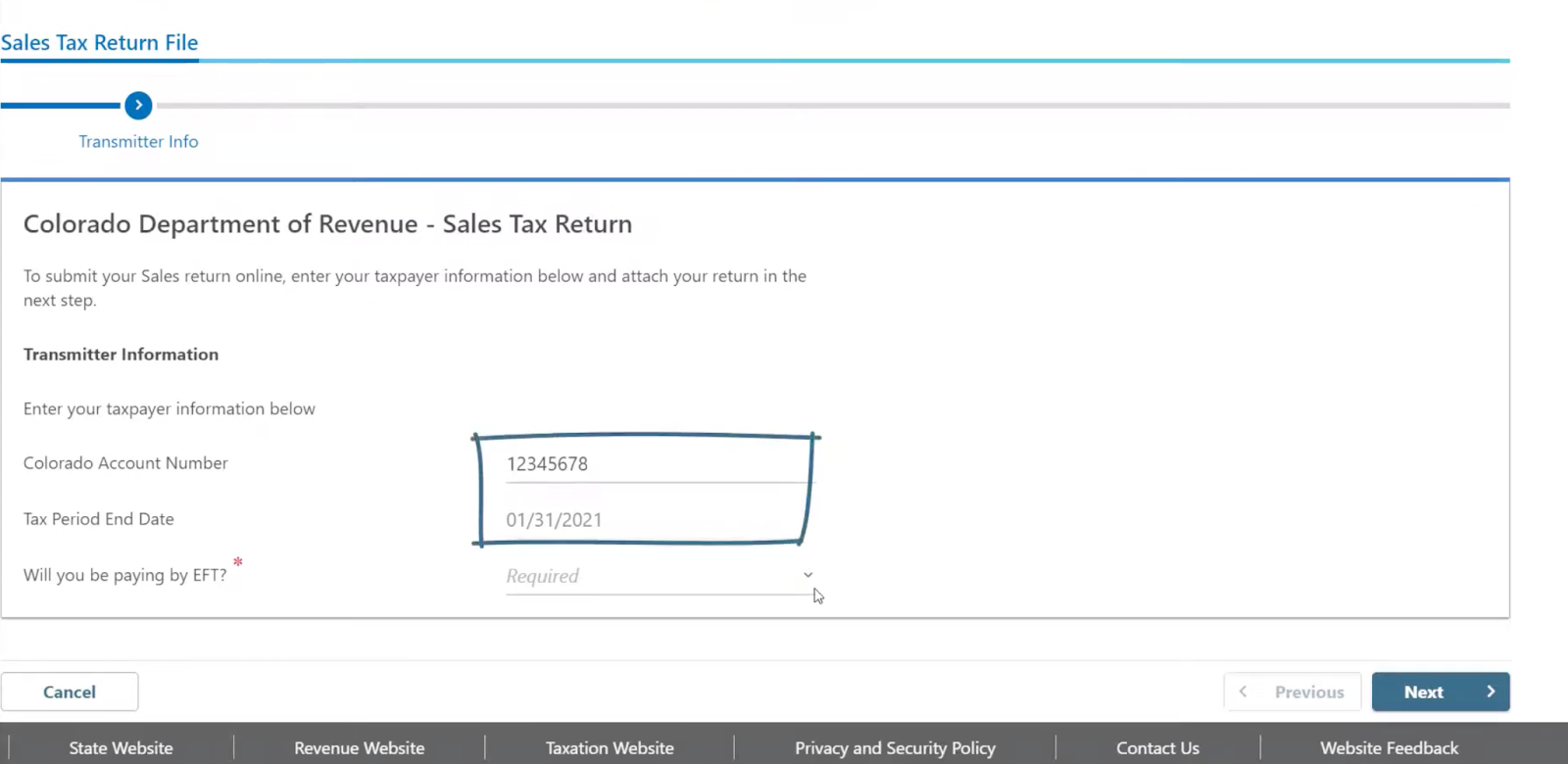
The account number and tax return end date will auto populate while you can select if you will be paying by EFT.
Once you’ve entered the EFT details, you can click Next and you’ll be taken to the Attach file screen.
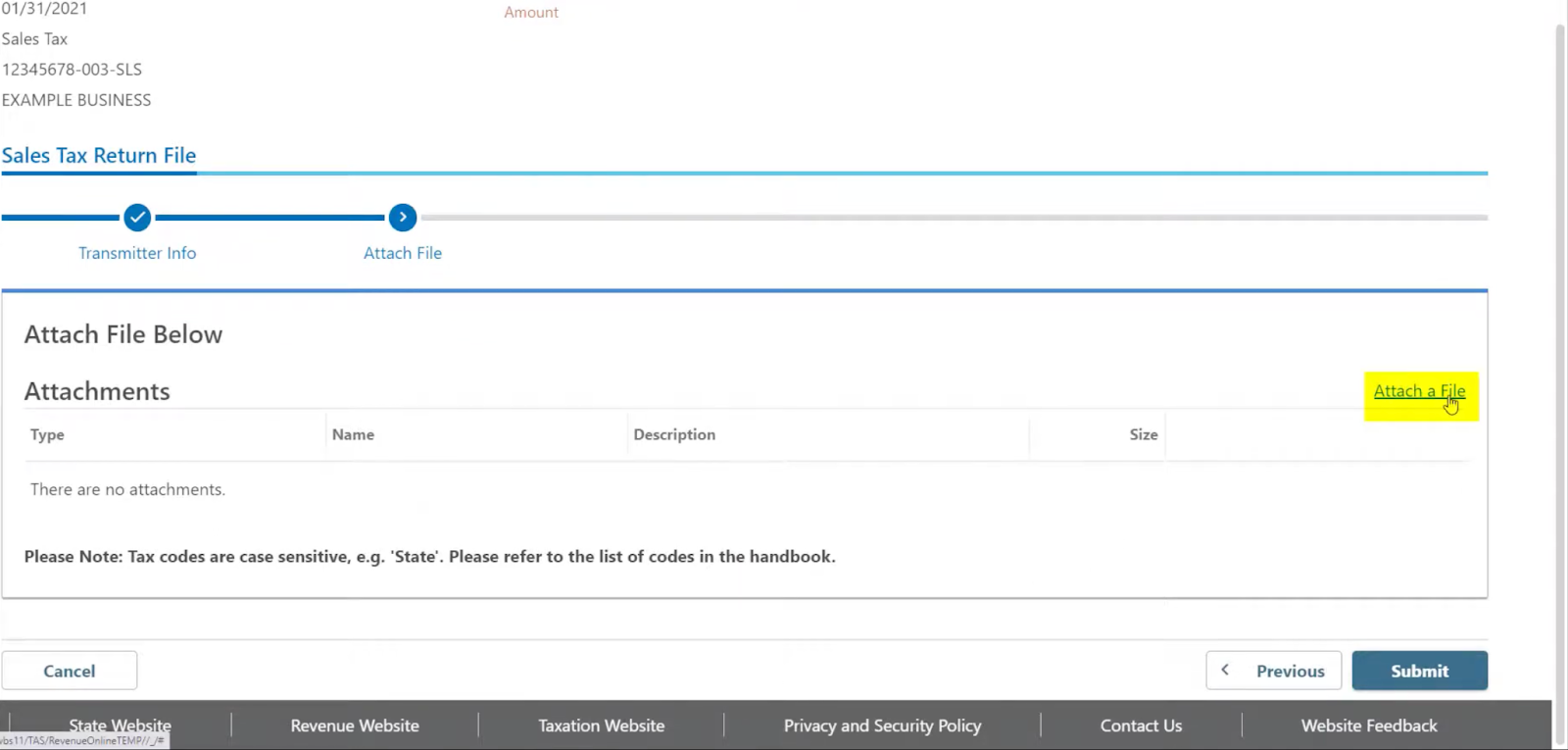
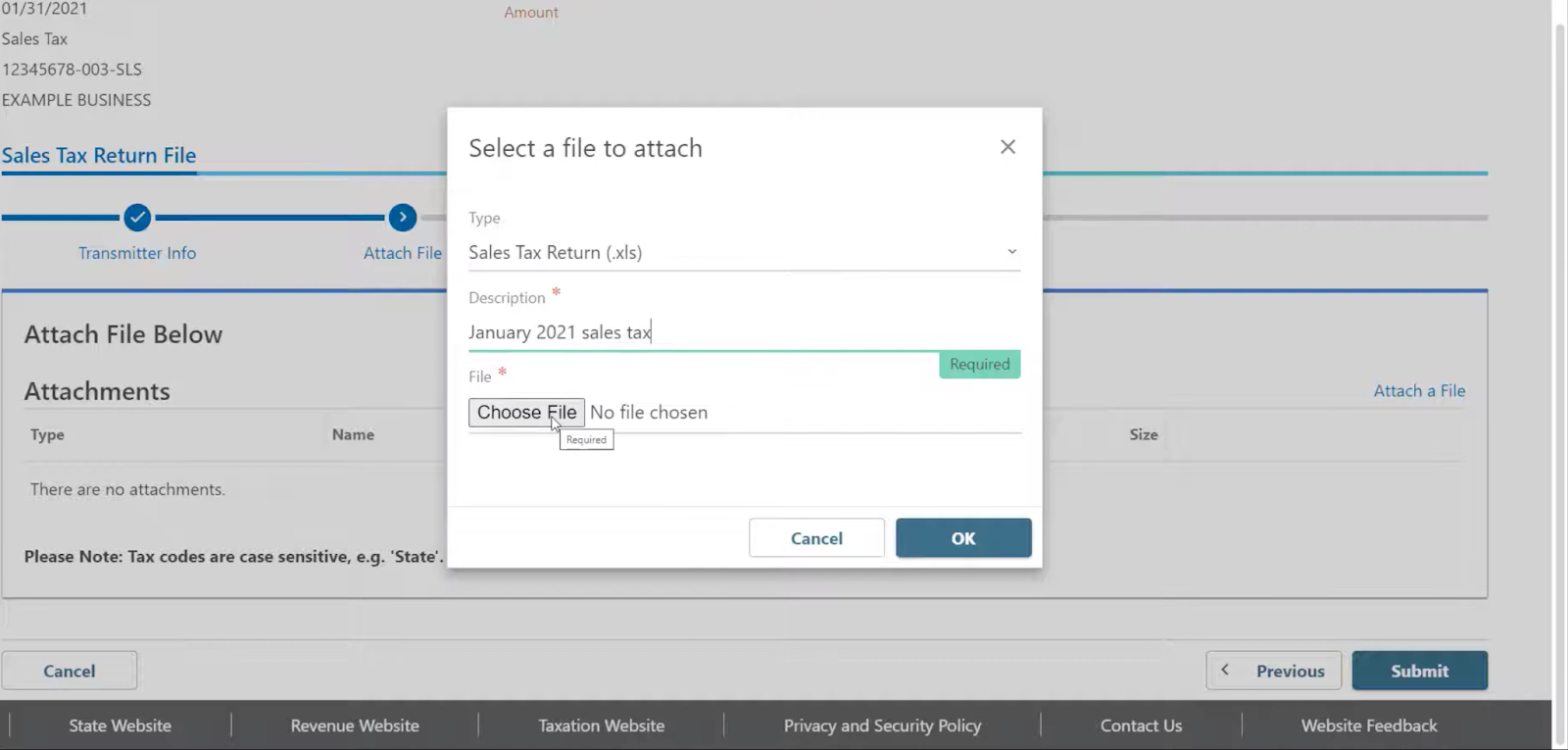
Now, you’ll be prompted to choose the file type and add a description for the file. Then click “Choose” to proceed with uploading the file.
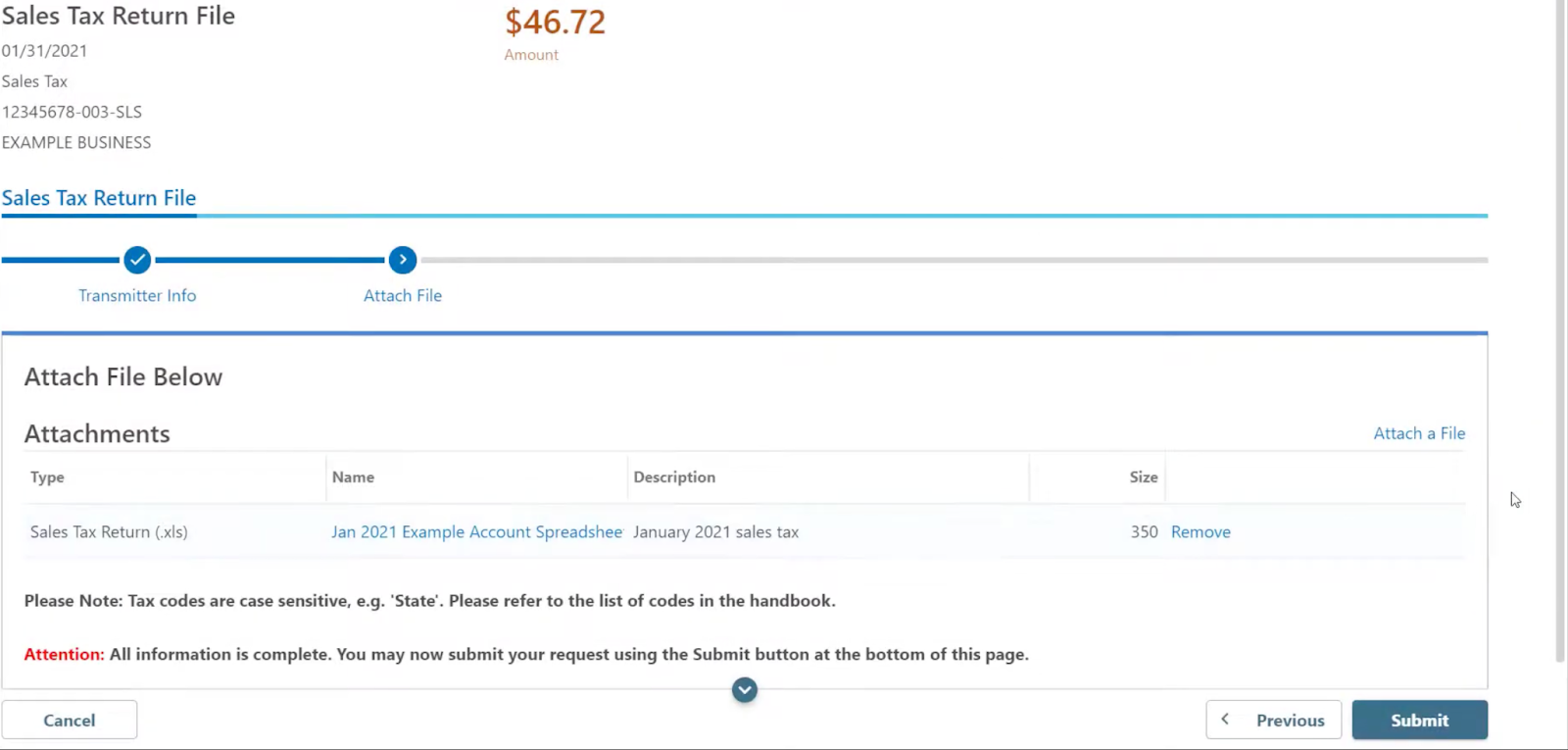
If the upload succeeds, you’ll see the uploaded file under the attachments table. Once you’re ready, click Submit
Finally, enter your password to complete the submission.
Step 5: Review and submit your return
After uploading your data, SUTS will calculate the total sales tax owed for each county based on the information you provided. It may take a few days to several weeks before the documents have been processed.
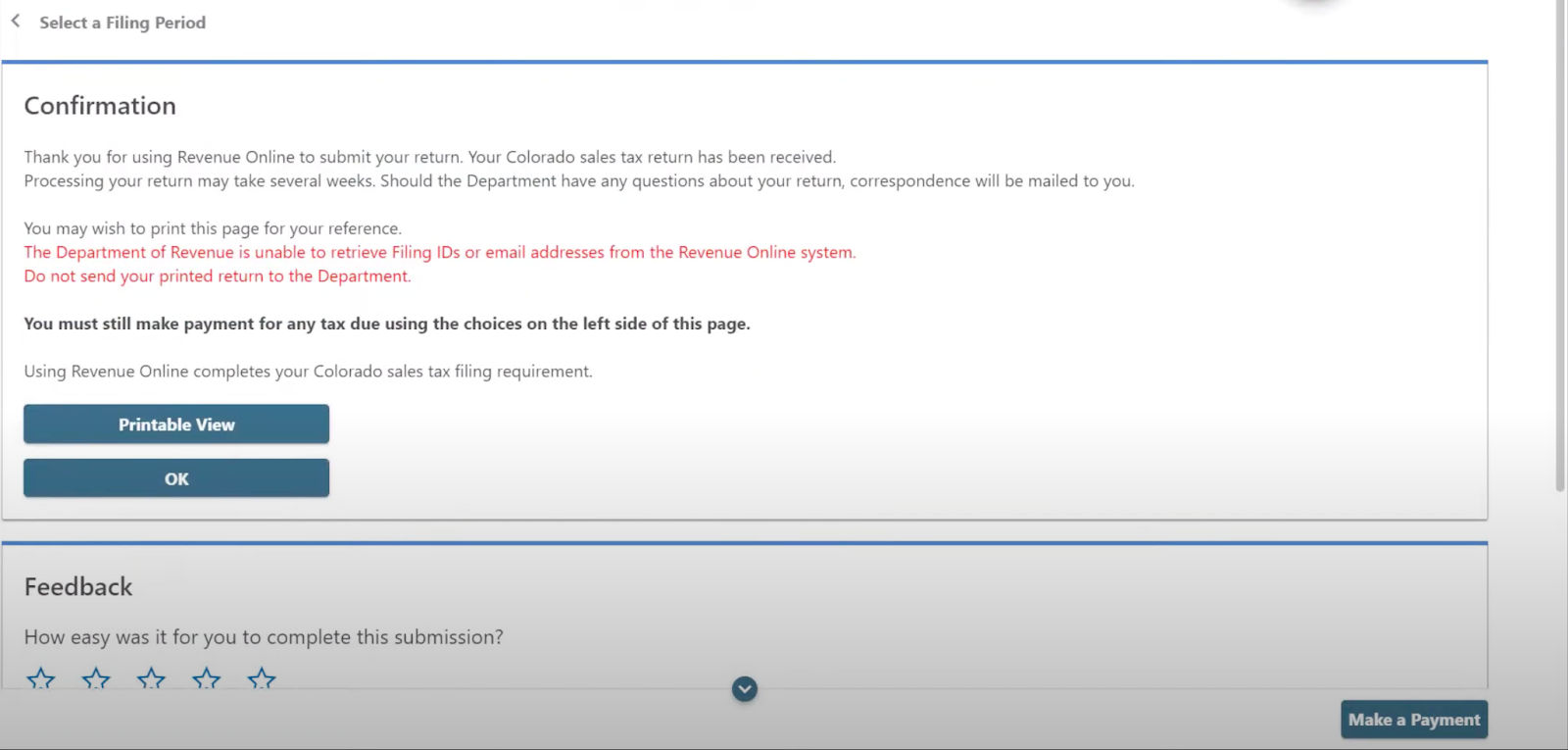
If everything looks correct, click the "Submit" button to file your return. You'll see a confirmation message with a reference number for your records. Print or save a copy of this page for your files.
Step 6: Make a payment
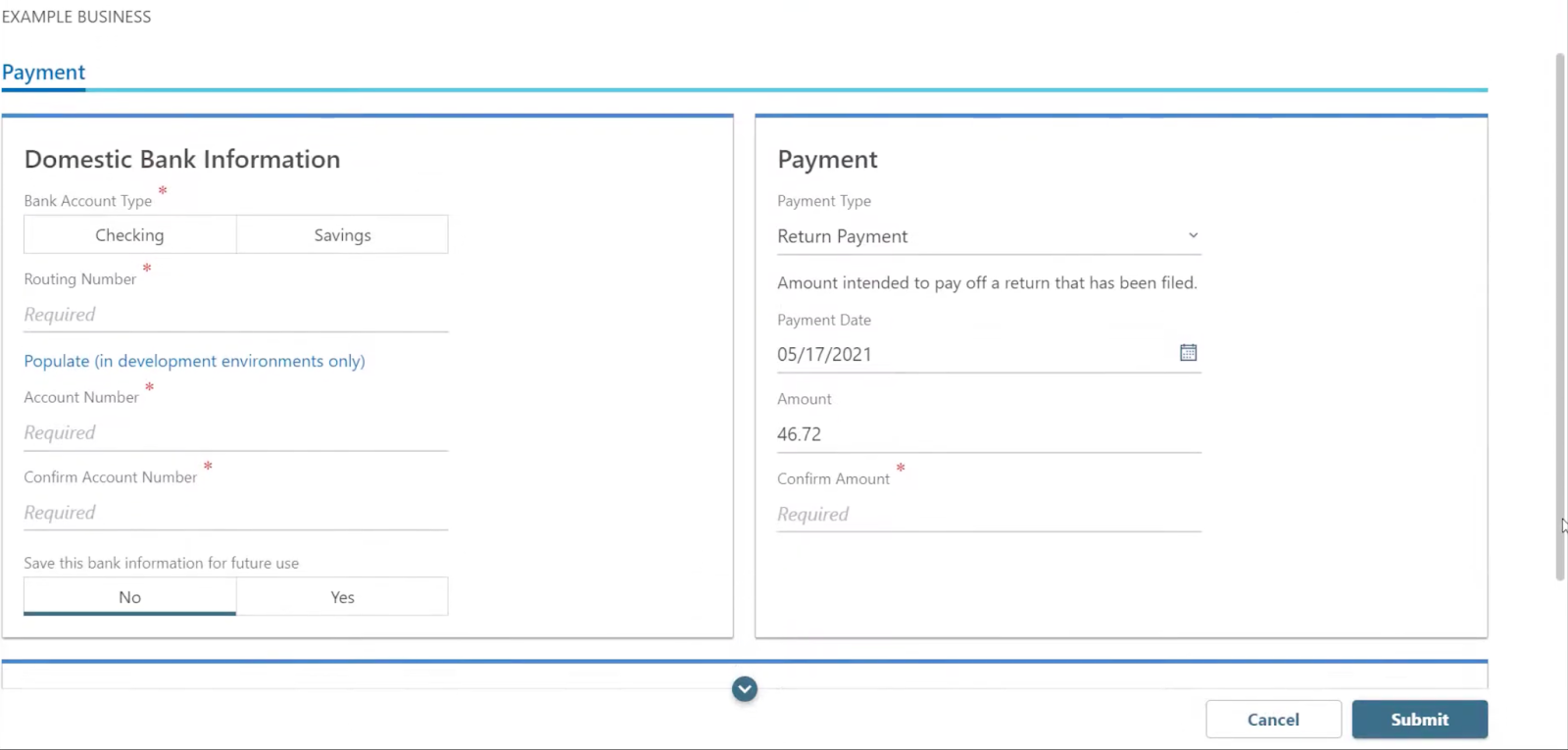
The final step is to pay the sales tax you owe. Click “Make a Payment” on the review page.
SUTS offers several payment options, including electronic funds transfer (EFT), credit card, and paper check. Select your preferred method and follow the instructions to complete your payment.
Keep in mind that payments are due by the 20th day of the month following the filing period. For example, if you're filing a Q1 return, your payment is due by April 20th. Make sure to submit your payment on time to avoid penalties and interest.
Local sales tax in Colorado
Here’s a snippet of the different sales tax rates in Colorado:
| City | Local Sales Tax Rate (including base tax) |
|---|---|
| Lakewood | 8.5% |
| Denver | 9.15% |
| Aurora | 8.38% |
| Thornton | 8.75% |
| Colorado Springs | 8.2% |
| Fort Collins | 8.05% |
Simplify Your Sales Tax with Accounly
Dealing with sales tax can be a real headache, especially for busy business owners. It's confusing, time-consuming, and just plain stressful. But what if there was an easier way?
Enter Accounly—the sales tax solution that takes the hassle out of compliance. With Accounly, you can automate your sales tax from start to finish. No more worrying about Colorado nexus, registration, or filing deadlines. Accounly handles it all, so you can focus on what matters most—growing your business.
Here's how it works: First, Accounly monitors your sales 24/7 and lets you know when you reachor and every other state. Then, they register your business in those states—no phone calls required.
Accounly also manages your tax collection settings, so you're always charging the right rates. And when it's time to file, Accounly takes care of that too, with automated remittances for every due date.
The best part? You barely lift a finger. Accounly integrates with Shopify, Stripe, and many other e-commerce and billing platforms for accurate data collection. And with their concierge support, you'll spend less than five minutes a month on sales tax. That's more time to spend on marketing, product development, or just enjoying life outside of work.
So, if you're ready to say goodbye to sales tax stress, book a demo with Accounly today. Our team of experts is standing by to help you get started. With Accounly in your corner, compliance has never been simpler.